
What is Autodesk Revit?
Autodesk Revit is a software solution with tools for planning, designing, visualising and coordinating all types of construction projects from sketch to final result.
Revit delivers 3D and BIM design capabilities for architects, engineers, and construction professionals and allows for the efficient creation and management of detailed 3D models and collaborative building projects throughout the project lifecycle.
Changes are updated instantly throughout the model, and the data can be integrated into other programs. Autodesk Revit covers all disciplines and makes collaboration between architecture, construction, building services and contractors easy and seamless. In addition, Autodesk Revit allows you to present your projects with 3D visualisations, videos and VR.
Who can benefit from Autodesk Revit
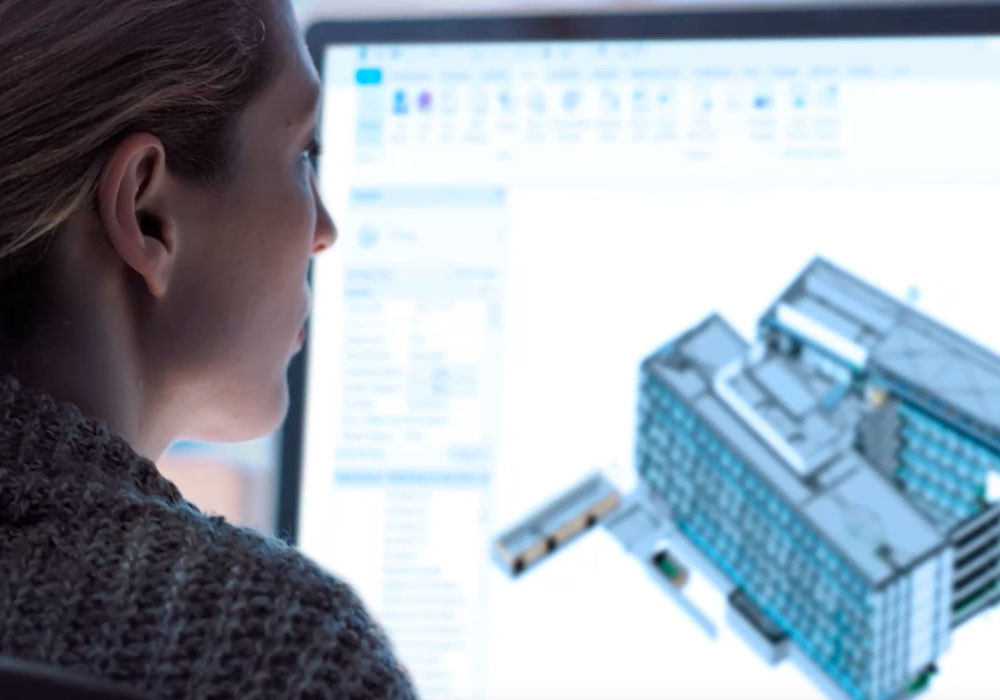
- Architects
- Structural engineers
- MEP engineers
- other construction professionals
who are involved in the design, coordination, and documentation of buildings.
Which Revit solution is right for you?
Compare the BIM features available in the different Revit solutions and determine which one is best suited to your needs.
Revit LT
Produce architectural designs and documentation with more cost-effective and efficient BIM software.
Used for:
- Design and documentation of building projects using BIM
- Generating 3D views
- Producing BIM deliverables
What it does:
- 3D modelling in BIM
- Design documentation
- File exchange with users of Revit software
Revit
Plan, design, construct and manage buildings and infrastructure with powerful BIM tools.
Used for:
- Architecture
- Plumbing, electrical, detailing
- Sketches
What it does
- Concept design
- 3D parametric modelling
- Detailed design documentation
- Optimise structural design processes
- Streamline project documentation
AutoCAD Revit LT Suite
Integrate CAD and BIM data to produce coordinated and complete design deliverables.
Used for:
- Intelligent 3D modelling
- Seamless file exchange
- More cost-effective, optimised BIM
What it does:
- Create 2D drawings faster, with greater precision
- Produce 3D architectural designs in a simplified, model-based environment
Includes:
- AutoCAD LT
- Revit LT
AEC Collection
Complete BIM software package for all phases of your construction project.
Used for:
- Architectural design
- MEP & structural engineering
- Multidisciplinary teams
What it does
- Produce coordinated drawings and comprehensive 3D models
- Seamless transitions from concept designs to final documents
Includes:
- Revit
- AutoCAD
- Civil 3D
- Forma Data Management
- View more
How is Revit different from AutoCAD and Revit LT?
In AutoCAD-based projects, work is typically distributed across multiple files for plans, sections, elevations, and details, which requires a high degree of manual coordination.
In Revit, the project is created in one shared model where drawings, schedules, and quantities are generated directly from the same data.
Multiple users can work in the model at the same time, and changes are reflected consistently throughout the project.
Revit LT is a simplified version intended for smaller projects, while full Revit supports advanced collaboration, automation, and multi-user workflows.
What are the technical requirements for getting started with Revit?
Revit runs on 64-bit Windows and is designed for professional workstations. For most projects, sufficient RAM, a dedicated graphics card, and fast SSD storage are recommended.
Hardware requirements depend on project size and complexity, and professional guidance is often used to determine suitable workstation setups.
Which file formats does Revit support?
Revit supports common industry formats, making it easy to exchange data with other software and project partners:
- DWG / DXF
- IFC
- RVT / RFA
- DGN
- SAT / SKP (import)
How is Revit licensed ?
Revit is available as 1-year and 3-year named user licenses. Licenses are assigned to individual users and can be reassigned as needed.
Is Revit suitable for both small and large projects?
Yes. Revit can be used for both small and large projects.
Smaller teams benefit from having all drawings and data in one coordinated model, while larger projects can take advantage of structured worksharing and multi-user workflows.
Is Revit the right choice if we work across multiple disciplines?
Revit is designed for interdisciplinary projects where architecture, structure, and MEP need to be coordinated.
Each discipline can work in its own model or within the same project, reducing the need for manual coordination between drawings and files.
Can multiple users work in the same Revit project at the same time?
Is Autodesk Revit difficult to learn?
Revit has a learning curve, especially for users who are new to BIM or coming from a traditional AutoCAD-based workflow. However, with a structured approach and clear standards, most users can become productive relatively quickly.
Extend Revit’s capabilities with powerful plugins and integrations



Revit demo, licence and pricing information
Are you looking for a Autodesk Revit licence and want to know how much it costs or how to book a demo?
Pricing
Pricing varies based on the length of the contract and the number of licences requested. Costs may also fluctuate due to Autodesk pricing updates.
To receive a free quote with the updated price, fill out the form on the side and we will contact you as soon as possible.
Demo
Book a free demo with our AEC experts. Fill out the form and we will contact you to schedule your demo.
Why buy from NTI Ireland?
- NTI is the largest Autodesk partner in Europe (Platinum Partner) and offers all products in the Autodesk portfolio.
- With our developers, we can tailor the solutions to your needs.
- Our consultants have an industrial background and support you throughout the entire value chain - from installation and distribution to training and support.
- Access to NTI's proprietary solutions for optimising, automating and optimising the use of existing Autodesk software.
Contact Us

Autodesk Sales Director
+353 18542947