
SketchUp Pro Scan – scan-to-3D for point clouds and existing environments
Import, visualise, and model based on point cloud data in SketchUp. SketchUp Pro Scan helps you create clearer foundations for as-built, site coordination, and visualisation.
Explore Features
Book a demo | Features | FAQ
Why Choose SketchUp Pro Scan?
Base it on the actual facts

Use scanned environments as a more reliable basis for design and planning. With SketchUp Pro Scan, you don't have to start from an empty model space and can instead develop solutions based on the actual conditions of the site.
Streamline site coordination

Combine point clouds with intuitive 3D modelling for a better understanding of the site. It makes it easier to coordinate existing conditions, project documentation, and design decisions.
Visualise existing environments

Turn scanned data into clear 3D and 2D visualisations that are easier to understand and share. SketchUp Pro Scan helps you communicate existing conditions and project solutions more visually.
Who can benefit from SketchUp Pro Scan?
SketchUp Pro Scan is used by:
- Architects
- Construction teams
- Property owners
- Technical consultants
- VDC and BIM teams
Who want to use point clouds and scan data to create a clearer basis for existing environments.
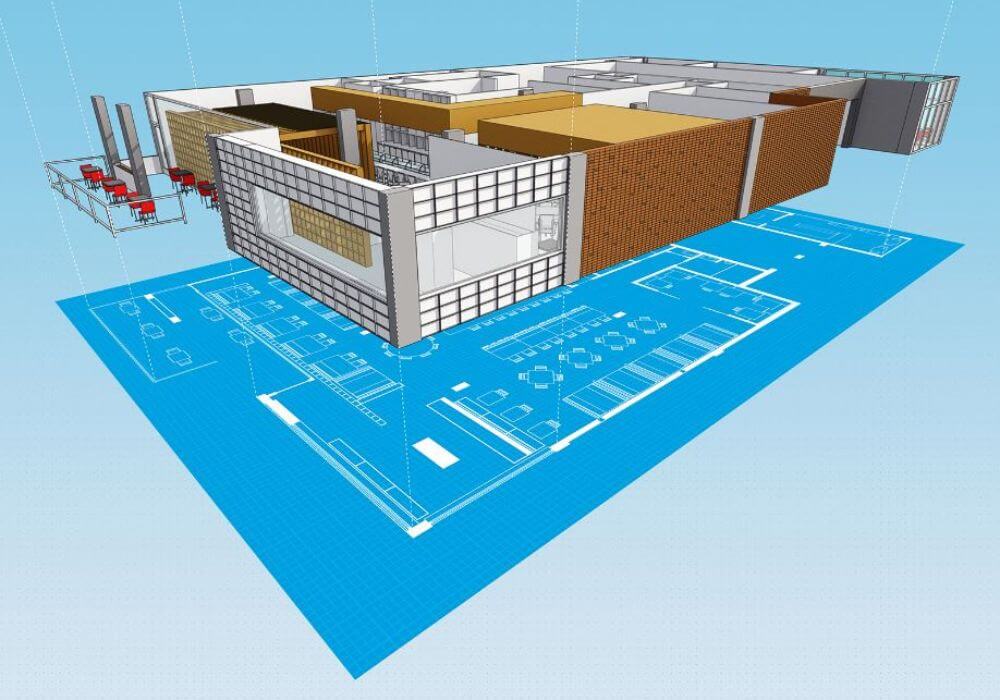
With SketchUp Pro Scan, you can import, visualise, and model directly on point cloud data in SketchUp. The solution helps you work more visually with as-built data, site coordination, remodelling, and design in existing environments.
Key features in SketchUp Pro Scan
SketchUp Pro Scan is designed for workflows where real-world data is the starting point. Here are some of the possibilities that will help you move from point clouds and scan data to clear 3D models, visualisations, and project briefs.
Point Cloud Manager

Manage how the point cloud is displayed and used in SketchUp. Adjust things like point size, density, opacity, and visualisation to make scan data clearer and easier to work with in the model.
Ground Mesh

Create a ground surface from point cloud data directly in SketchUp. Ground Mesh helps you turn scanned terrain into geometry that can be used further in your model.
Clipping Box

Limit the point cloud to the area you want to work with without deleting the rest of the data. It makes it easier to focus on, for example, a floor, facade, or another specific part of the scanned environment.
Inspection

Compare the model with the point cloud to identify areas where the geometry deviates from the scanned conditions. It helps you check the model and see where adjustments might be needed.
Texture Projection

Project color and image information from the point cloud onto SketchUp geometry to create a clearer visual representation of the existing environment. This makes the model easier to understand and can provide better visual context in the work.
Surface Mesh

Create surfaces and SketchUp geometry directly from point cloud data to build a more cohesive model of the scanned environment. It provides a clearer basis for further modelling and design.
Which point cloud formats does SketchUp Pro Scan support?
SketchUp Pro Scan uses Scan Essentials to work with point clouds directly in SketchUp.
Scan Essentials supports formats such as RWP, TZF, E57, LAS/LAZ, and PLY. This makes it possible to use data from various types of scanning and measurement workflows as a basis for modelling and visualisation.
Does SketchUp Pro Scan work on both Windows and Mac?
Scan Essentials is currently only available for Windows and requires a 64-bit version of Windows 10 or Windows 11.
If you’re unsure whether your existing workstation is suitable for SketchUp Pro Scan, NTI can help go through your needs and technical requirements.
Do I need a special 3D scanner to use SketchUp Pro Scan?
No, SketchUp Pro Scan isn't tied to a specific scanner. Scan Essentials can work with point cloud data from different types of equipment and workflows, like laser scanning, LiDAR, photogrammetry, mobile mapping, and drone data.
The important thing is that the point cloud data is in a format supported by Scan Essentials.
What's the difference between SketchUp Pro and SketchUp Pro Scan?
SketchUp Pro Scan includes the features of SketchUp Pro and complements them with Scan Essentials for working with point cloud data.
This makes Pro Scan especially relevant for projects where you need to model based on existing conditions, such as during renovations, remodelling, as-built documentation, or site coordination.
Can I measure directly in the point cloud?
Yes. With Scan Essentials, point cloud data can be used as a visual and geometric reference in SketchUp, including for collecting measurement data from the scanned environment.
It can make things easier when you need to understand existing conditions and create models or project documentation based on real-world data.
How does SketchUp Pro Scan fit into a scan-to-model workflow?
SketchUp Pro Scan connects site scanning with 3D modelling by allowing point cloud data to be brought directly into SketchUp.
The scan can provide the existing-condition context for developing an accurate 3D model and documenting the project in SketchUp and LayOut.
Want to try SketchUp Pro Scan?
SketchUp Pro Scan helps you work with point clouds and existing environments directly in SketchUp – from scan data to clear models, visualisations, and project materials.
Fill out the form and we'll help you get started and answer questions about features, licences, and how SketchUp Pro Scan can fit your workflows.
We can help you with:
- Information about the trial period and licence options
- Advice on point clouds, scan-to-3D, and use cases
- Guidance for as-built documentation, site coordination, and visualisation
Contact us
Questions about SketchUp?
Contact Us

Sales Director
+44 1483 410375