
Real-Time LCA
Automated life cycle assessment for building projects
Real-Time LCA brings life cycle assessment into the way you already work. Pull quantities straight from your BIM model, Excel, or manual entries, calculate the climate impact of the whole building, and watch the result change as the design develops - with a full history and documentation for every phase.
See impact as you design

Environmental data is linked to your design and updates as it develops, so you see how material choices change the footprint.
Numbers you can defend

Compare thousands of materials with environmental product declarations, with full traceability back to the source behind every figure.
Less time on manual work

Automate LCA calculations using quantities pulled straight from your BIM model, Excel, or manual entries - and cut the repetitive data entry.

Boost your productivity with NTI FOR INVENTOR
The add-in to Autodesk Inventor is built for R&D and manufacturing and is used by professionals who create and refine 3D designs every day, including:
- Design and mechanical engineers
- CAD technicians
- Product developers
- Process engineers
NTI FOR INVENTOR is for everyone working with Autodesk Inventor - whether in small or large companies - who face challenges with unstructured or non-standardised data, recurring errors and time-consuming manual tasks such as generating and printing drawings.
The plugin helps to boost your Autodesk Inventor workflows with powerful tools that let you focus on designing better products.
There is a solution for most Inventor challenges.
NTI FOR INVENTOR streamlines your daily routines in Inventor and supports a setup that makes sense for your exact processes and needs.
Users especially appreciate the functionality you can discover below.
Accurate and easy overview of property data

With the Property Editor, you quickly get an overview of your model properties. The data is displayed, and all types of metadata can be edited. Revision, length, and weight are filled in automatically.
View all your documentation in one place

The Documentation Status provides a real-time overview of design files and status, helping to eliminate errors and manual work. Stay confident that your documentation is always up to date as changes occur.
Gain more time for design creation

With the Drawing feature, you can automatically generate drawings as part of your workflow. This helps to save valuable time for actual design creation by eliminating trivial tasks and ensuring a consistent layout based on templates and predefined drawing settings.
Easy and uniform printing of drawings

The Print feature enables you to create predefined print setups and a complete printout of the production basis in one step, saving valuable time and ensuring a smooth, efficient print process.
Publish documentation in the file formats you need

The Advanced Publish function offers automated file management to keep your documentation consistent, accurate, and always up to date. Enables you to publish documentation of files such as PDF, DXF, STP and JPG.
Standardised way to export content to lists

The PartslistExtract feature provides flexible and easy selection and setup of different templates for different exports. You benefit from a uniform and standardised way to export content to different list types such as BOM, welding list, spare parts and drawing lists.
+ 50 functions
that improve most challenges in Autodesk Inventor, and provide value to all who work with manufacturing, construction or process engineering.
Design and drawing processing time reduced from 8 hours to 1 hour
Our engineers/modellers configure the correct 3D models in Autodesk Inventor based on customer orders and then automatically generate all the necessary production drawings. As a result, the turnaround time for designing and creating drawings has been reduced from 8 hours to 1 hour.

Easy onboarding
Our consultants support you through setup and configuration, and NTI Academy offers training and courses to build your skills. Access our online Help Center anytime for step-by-step tutorials, user guides, documentation, and FAQs. You can also use the NTI AI Assistant to instantly find answers to your questions — all designed to help you get the most from NTI FOR INVENTOR.


Discover how NTI FOR INVENTOR can help you
Read how our customers have adopted NTI FOR INVENTOR and quickly created great value in their daily routines and processes. Learn more about the plugin from our latest webinar.

Next-Gen Visualisation: Integrating AI into 3ds Max Pipelines
 15. Oct 2025
 11:00 - 12:00
This webinar offers a technical overview of the current landscape of diffusion models. We’ll examine several models through practical demonstrations, focusing on implementations that integrate seamlessly with 3ds Max, as well as standalone applications beyond the 3D pipeline.

Revolutionising Construction Efficiency: NTI & Designer Group
In the dynamic and highly competitive construction industry, staying ahead requires relentless innovation and a focus on efficiency. Designer Group, a prominent player in the sector, recognised the urgent need to evolve and integrate new technology to maintain a strong competitive edge.
What is NTI FOR INVENTOR used for?
NTI FOR INVENTOR is a plugin used within Autodesk Inventor and provides you with more than 50 powerful features to work significantly smarter in Inventor.
How easy is it to set up NTI FOR INVENTOR?
Some features are ready to use with default settings. Others will depend on your company and the extent to which you use Autodesk Inventor. You should expect some configuration, and NTI will help to assess the scope.
Can I get a free trial or demo?
Please don't hesitate to get in touch with us and get a demo of NTI FOR INVENTOR. You can also fill in the form on this product landing page.
What languages does the plugin support?
The interface of NTI FOR INVENTOR is available in English, Spanish, Italian, German and Brazilian Portuguese.
What is the price for a subscription?
The price will depend on your organisational setup and your requirements.
Please contact us to receive a quote that matches your requirements.
Are there more variants of NTI FOR INVENTOR?
Yes. The most comprehensive variant, NTI FOR INVENTOR Professional, comes with all the features available for companies looking to optimise workflows, reduce manual work and ensure proper data management in Autodesk Inventor.
NTI FOR INVENTOR Essential comes with a more limited range of features and is typically used as an entry-level solution for small and medium-sized companies.
Please contact us to learn which variant best matches how you use Autodesk Inventor today — and how you plan to use it in the future.
What are the systems requirements?
As an add-in to Autodesk Inventor, NTI FOR INVENTOR does not have significant requirements compared to Autodesk Inventor itself. If the system requirements for Autodesk Inventor are fulfilled, there are no additional requirements for installing NTI FOR INVENTOR
How is my data stored and protected?
Software Unit needs to fill this out for each product.
Please comment on Security certifications (if we have any), encryption, compliance (GDPR, SOC2, ISO?)etc.
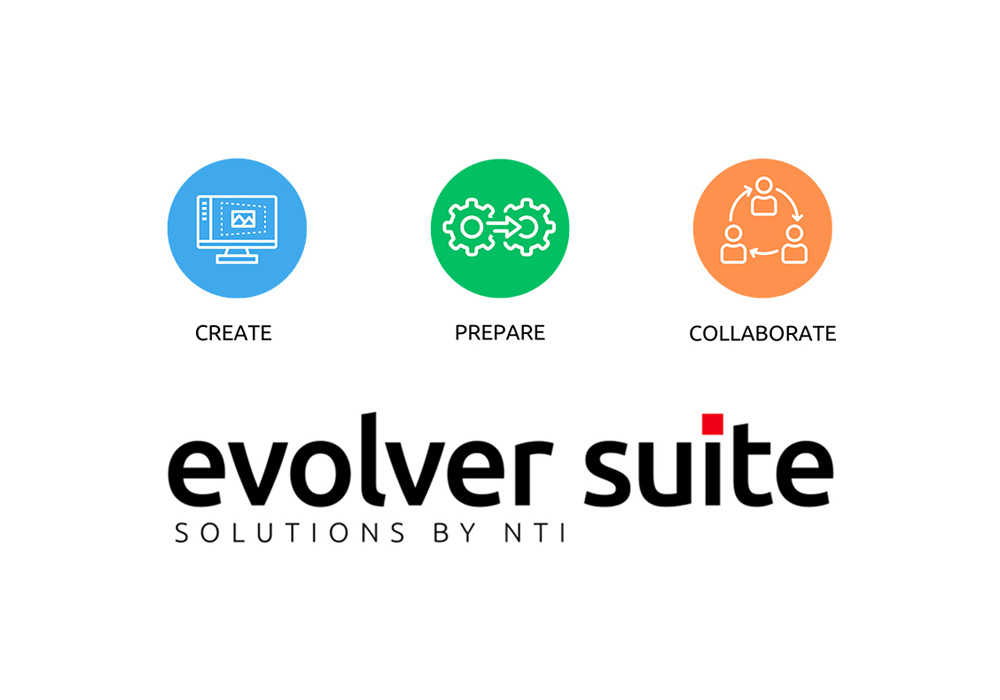
NTI FOR INVENTOR - part of EVOLVER SUITE
EVOLVER SUITE offers software solutions that support and develop your business processes and workflows within three phases: Create, Prepare and Collaborate.
Our selection of software solutions for industrial companies provides you with unique opportunities to optimise your processes, designs and data quality.
EVOLVER SUITE is designed to support your digitalisation journey and is suitable for companies seeking tools that simplify processes, reduce manual work and enable smarter decision-making.
Book a demo
We are here to help
Please contact us if you have any questions.

Sales Support Administrator
-