
SketchUp Pro – professional 3D modelling for design and planning
Create clear 3D models, presentations, and documentation with an intuitive tool for architects, designers, construction teams, and technical consultants.
Explore the features
Book a demo | Features | FAQ
Why choose SketchUp Pro?
Create ideas faster

Go from your first concept to a clear 3D model with an intuitive modelling tool. SketchUp Pro makes it easy to explore options, test solutions, and develop design ideas visually, so you can move from idea to presentation and decision-making faster.
Communicate the project more clearly

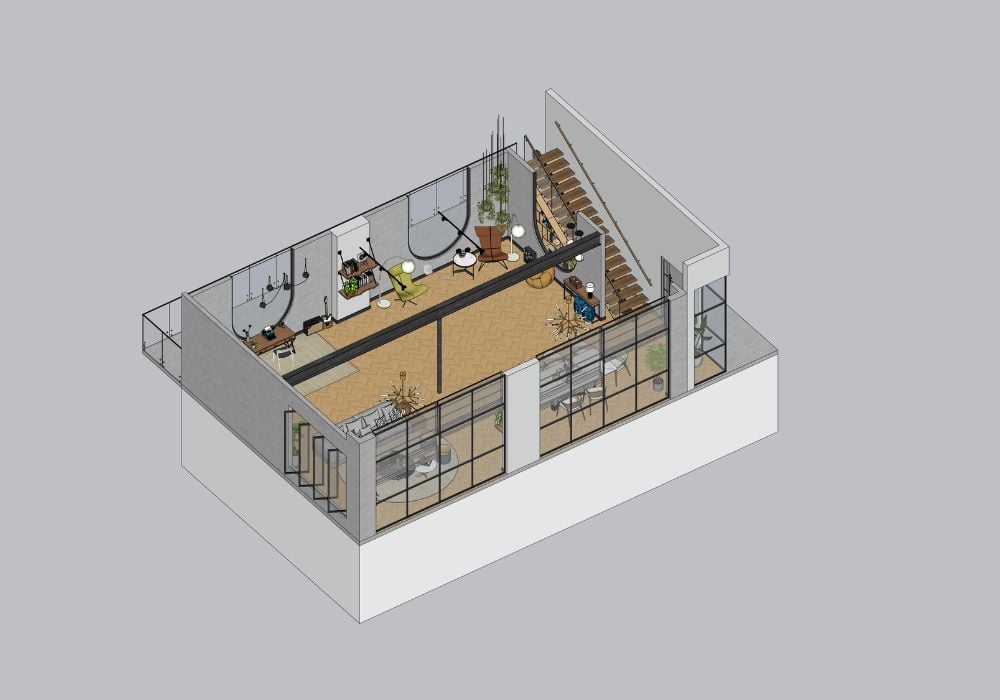
Visualise your ideas in 3D so that customers, project teams, and decision-makers can more easily understand the big picture. With SketchUp Pro, you can create clear models and presentations that make it easier to discuss solutions, gather feedback, and make decisions with more confidence.
Collaborate more smoothly

Share models and project files via Trimble Connect and gather feedback in a more streamlined workflow. With SketchUp Pro, it’s easier to keep the team updated, work with the right materials, and create a shared understanding from idea to finished project.
Who can benefit from SketchUp Pro?
SketchUp Pro is used by:
- Architects
- Designers
- Interior decorators
- Construction teams
- Technical consultants
For those who want to create, document, and present projects in 3D from the first concept to clear project documentation.
With SketchUp Pro, you can quickly develop ideas, test design options, and visually communicate solutions to clients, project teams, and decision makers. The solution helps you combine modelling, documentation, and presentation in an efficient workflow.
Key features in SketchUp Pro
SketchUp Pro is developed for professional workflows where 3D modelling, documentation, and presentation need to work together. Here are some of the possibilities that help you go from the first idea to clear project material.
SketchUp for Desktop

With SketchUp for Desktop, you get a powerful and intuitive tool for professional 3D modelling. Create detailed models, test design options, and develop projects visually from the first concept to finished materials. Perfect for workflows where precision, flexibility, and clear visual communication are key.
LayOut

With LayOut, you can take your 3D models further into 2D documentation, drawing materials, and presentations. Create views, dimensions, annotations, and presentation materials that help you communicate the project clearly to clients, project teams, and other stakeholders.
Extension Warehouse

With Extension Warehouse, you can customise SketchUp Pro to fit your workflow with add-ons that expand its functionality. Add tools for specific needs, streamline recurring tasks, and create a more flexible way of working for modeling, visualisation, and project planning.
Live Components

With Live Components, you can use configurable components in your SketchUp models. In 3D Warehouse, you can search for, customise, and preview components in 3D before downloading them and using them in your project.
PreDesign
With PreDesign, you get inspiration and guidance on how the local climate and environmental conditions can affect your design. By using the tool early in the process, you can identify relevant strategies before you start detailed modelling and avoid spending time on solutions that don't fit the project's conditions.
3D Warehouse

With 3D Warehouse, you get access to an extensive library of ready-made 3D models and components. It makes it easier to build models faster, complete projects with ready content, and spend more time on the actual design work.
What's the difference between SketchUp Go and SketchUp Pro?
SketchUp Go is mainly designed for working in a browser and on iPad.
SketchUp Pro also includes SketchUp for Desktop and LayOut, making it better suited for professional 3D modelling, documentation, and more extensive design workflows.
Is LayOut included in SketchUp Pro?
Yes, LayOut is included with SketchUp Pro. With LayOut, you can take your 3D models further into 2D documentation, drawing materials, and presentations that can be used to communicate the project more clearly.
Can SketchUp Pro be used for professional projects?
Yes, SketchUp Pro is developed for professional users who work with 3D modelling, visualisation, presentation, and documentation.
It is often used by architects, designers, construction teams, interior designers, and technical consultants who need to create clear models and project materials.
Can I collaborate with others in SketchUp Pro?
Yes, SketchUp Pro includes Trimble Connect, which lets you save, share, and manage project files in the cloud.
It makes it easier to collaborate with colleagues, clients, and project teams, and to keep models and resources available throughout the project.
Can I use ready-made models and plugins in SketchUp Pro?
Yes, with SketchUp Pro you get access to 3D Warehouse and Extension Warehouse.
3D Warehouse gives you access to ready-made 3D models that can be used to build and complete projects. Extension Warehouse lets you customise SketchUp with add-ons for different workflows and needs.
Can I upgrade from SketchUp Pro to another SketchUp subscription?
Yes.
SketchUp provides several subscription options, and Pro can be upgraded to plans such as Pro Advanced Workflows, Pro Scan or Studio when additional capabilities are needed.
Want to try SketchUp Pro?
SketchUp Pro helps you create, visualise, and document ideas in 3D – from the first concept to clear project material.
Fill out the form and we’ll help you get started and answer questions about features, licences, and how SketchUp Pro can fit into your workflows.
We can help you with things like:
- Information about trial periods and licence options
- Advice on features and use cases
- Guidance for modelling, visualisation, and documentation
Contact us
Questions about SketchUp?
Contact Us

Sales Director
+44 1483 410375